This guide explains how to evaluate a Payroll Solutions Portal so your payroll processes stay accurate, compliant, and auditable. It provides objective background on what portal-based payroll systems do, why organizations adopt them, and how to assess capabilities such as approvals, reporting, integrations, and security controls. Use the included checklist to compare options consistently.
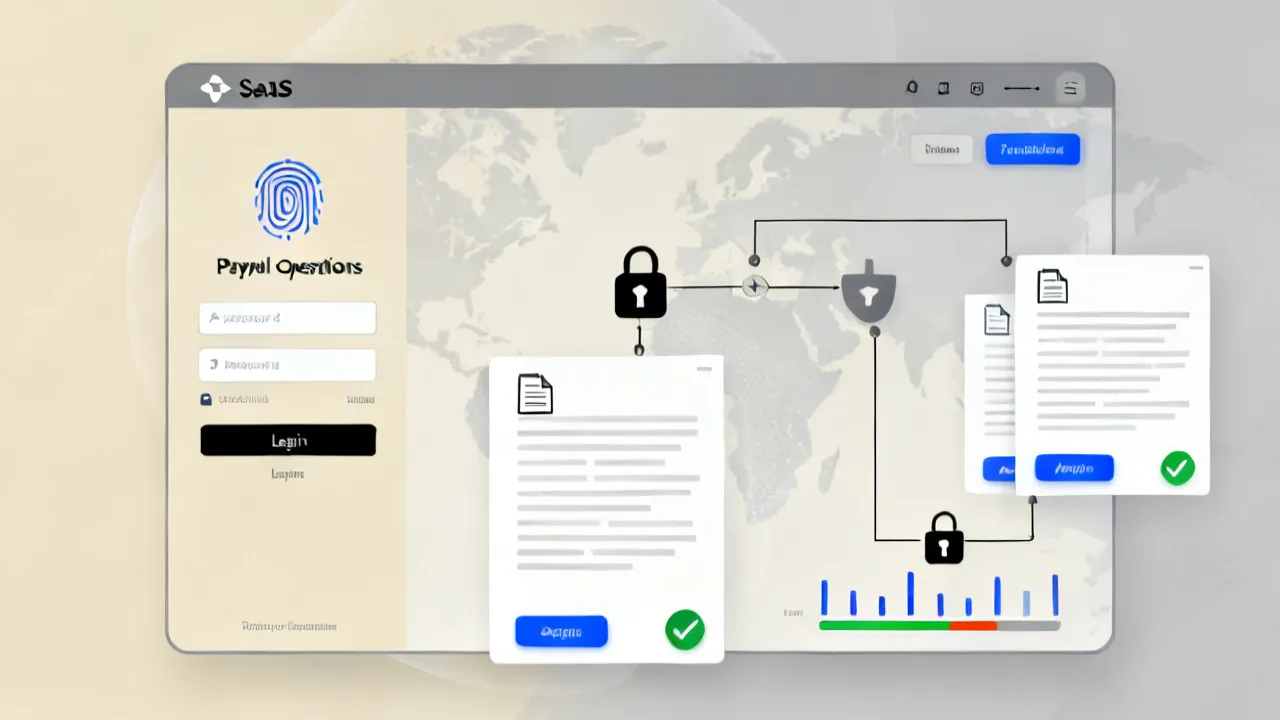
A Payroll Solutions Portal should be evaluated first for accuracy and compliance controls, then for process design (approvals, audit trails, exceptions), and finally for integration readiness (HRIS, time tracking, accounting, and benefits). When these elements are aligned, payroll teams gain dependable governance—reducing rework caused by inconsistent data and improving traceability for internal review.
From an industry perspective, the very reliable portal implementations treat payroll as a controlled workflow rather than a single calculation step. That means the portal supports role-based access, documented change management, and consistent recordkeeping across each payroll cycle. If your organization is aiming for stronger internal controls, start by mapping who needs to do what, when—then confirm the portal enforces those steps.
It’s also helpful to remember that payroll is both a financial process and a statutory obligations process. A portal can improve the mechanics—who enters data, how approvals are collected, and how records are stored—but it cannot “fix” poor internal policies. Before you adopt a portal, ensure that your payroll policy decisions (for example, how retro pay should be calculated, what rate-change timing rules apply, or how employment status changes are handled) are already defined and can be translated into portal configuration. In other words, the portal should reflect the control environment you want to maintain, not a temporary workaround for unclear governance.
Beyond governance, there is another practical consideration: operational workload. A portal often introduces new workflows that payroll teams must monitor—particularly during early rollout. If you choose a system that is too rigid, or too complex to configure, your team may spend more time managing portal exceptions than they would have with simpler tools. Conversely, if a portal is flexible enough to support your real-world scenarios (late time entries, partial month employment, corrections after close), it can reduce operational drag over time. The evaluation should therefore include workload analysis: how the portal shifts effort across employees, managers, payroll operators, and HR data stewards.
Finally, adoption and change management matter. Even the best portal will fail if your employees and managers do not understand what they must do and when. Many payroll errors originate not from the payroll calculator but from upstream inputs: employees update personal information incorrectly, managers submit approvals late, or HR forgets to flag an eligibility change. A strong portal supports adoption with clear guidance, reminders, and a structured review process. When you evaluate vendors, request examples of in-product help content, notifications, workflow status visibility, and user training resources.
While products differ, a portal usually centralizes key payroll activities into a single environment. Common modules include:
The objective goal is to make payroll processes more transparent to the people who must participate—and more defensible to those who must audit.
In practice, a portal’s “typical” components should be interpreted as a baseline, not a guarantee. For example, some portals offer employee self-service but provide limited manager approval capabilities. Others offer robust approval routing but weak document lifecycle management (for example, retention policies are inconsistent or exports are difficult). Some portals include “audit” features that show who clicked a button, but not necessarily the full trail of data changes (before/after values, field-level updates, and evidence of which policy rule triggered an adjustment). That is why the evaluation must move from feature names to control evidence.
To make this concrete, consider how a portal handles an employee address change. In a well-designed portal, an employee updates their address, the change is validated, and the portal records an audit trail that includes the timestamp, the data field changed, the old value and new value, and any downstream impact (like which tax jurisdiction rules apply to subsequent pay runs). In a less controlled portal, the employee change may be stored, but it might not be clearly traceable at the point of payroll processing, and the portal might not reflect whether the change affects the pay run eligibility window. The module list is only the start; you must test each control-critical process.
It can also be useful to think of the portal as “three views of the same truth”: employee view (what personal and pay information they should see and update), manager view (what they must approve and how exceptions are surfaced), and payroll operations view (what payroll must calculate, verify, reconcile, and lock). A portal that only functions strongly in one view will not provide end-to-end governance. When you run demos, ask the vendor to walk through a complete end-to-end case, from employee input to manager approval to payroll close to reporting/audit extraction.
Additionally, consider how the portal deals with “state” across the payroll cycle. Most reliable portals provide visibility into payroll states such as draft, submitted, approved, processing, closed, and post-close correction windows. State management is essential for preventing unauthorized modifications. If your portal does not clearly define these states (or does not prevent edits when the payroll run is in a locked state), your audit trace becomes less meaningful and operational risk increases.
Many payroll teams historically relied on spreadsheets, email approvals, and fragmented HR systems. That approach can increase operational risk because updates travel through channels that are difficult to standardize and monitor. A portal-based model, when configured well, reduces ambiguity by:
These benefits are widely recognized across enterprise operations and controls practice, including guidance published by professional bodies such as the Association of Certified Fraud Examiners (ACFE) on auditability and governance, and NIST resources on access control concepts (for systems security principles).
The deeper reason organizations move to a portal is that payroll is rarely just “one person calculating one number.” It’s a chain of dependent actions—HR updates, time approvals, policy checks, bank details validations, tax calculations, and general ledger postings. Disconnected tools break the chain by making it harder to demonstrate continuity of evidence. For internal audit, compliance reviews, and incident investigations, you need to show how a decision was made and how it was authorized. A portal gives you the connective tissue: timestamps, role-based actions, approval routing, and evidence exports.
Disconnected tools also create “version drift.” For example, a spreadsheet may exist in multiple copies, email chains may include outdated attachments, and different teams may run slightly different formulas. With a portal workflow, the system can enforce a single canonical data set. If a late correction is required, the portal typically records it as a change in a controlled post-close correction state rather than silently overwriting data. That controlled correction approach helps reduce rework and supports reconciliation.
Another often overlooked advantage is operational consistency across business units. Many organizations manage multiple payroll regions, with local variations for taxes, benefits, statutory deductions, and employment rules. Even when local differences are necessary, the portal workflow can still standardize the core control steps: submission to approval, required fields, exception resolution, and audit evidence capture. The result is a balance between standard governance and local configurability.
Finally, portals can improve employee experience indirectly by reducing confusion. When employees can see payroll-related documents in one place, and managers can see the status of approvals in a dashboard, fewer “where is my pay document?” or “why was my time not paid?” questions end up in HR ticket queues. That reduces the operational burden that otherwise falls on payroll and HR staff.
Compliance is not a feature you “turn on”; it’s the outcome of design decisions and operational discipline. When evaluating a Payroll Solutions Portal, confirm the supplier supports:
For evidence-backed evaluation, request sample audit exports, workflow examples, and demonstrations of handling corrections after a pay run is closed. A credible supplier will help you test process boundaries rather than only showing “happy path” screens.
To assess compliance readiness in a way that avoids marketing claims, ask for artifacts and procedures, not just screenshots. For example, request:
Compliance also depends on operational discipline. So ask how the portal supports the enforcement of close dates and locked states. Many organizations implement “close” not just as a UI lock but as an actual control boundary: after close, changes require special authorization, must be recorded, and must trigger downstream recalculation paths. If the portal supports post-close corrections but not in a controlled way, you might still be exposed.
It’s also important to validate whether the portal’s configuration can satisfy the granularity you need. For example, segregation of duties might require that time entry modifications require a different approver than time entry submissions, or that certain fields require additional approvals. Confirm that the portal can implement your segregation-of-duties policy at a practical level (field-level restrictions, conditional approvals, and role-based routing).
Another compliance readiness factor is how the portal handles exceptions. Payroll exceptions are inevitable. A portal that funnels exceptions into a queue with clear resolution steps, defined ownership, and auditable outcomes is usually more defensible than a portal that merely flags issues without guiding resolution. Ask the vendor to show what happens when an employee submits data after the cut-off date, or when time entries fail validation rules. In a compliant setup, the exception process should require explicit decision-making steps and evidence capture.
Finally, consider how compliance evidence is exported. Internal audit often needs extracts that can be reconciled with other records. Confirm whether the portal supports export formats and report structures that align with your internal audit workflow. If the portal’s audit logs are only viewable in the UI and not exportable in a reliable format, your compliance effort may increase rather than decrease.
Since portal pricing can vary significantly by organization size, module selection, and deployment model, focus on total cost of ownership rather than a headline number. Ask the supplier to itemize costs that often affect implementation budgets:
To keep evaluation objective, require a written quote that states what is included and what is not. If your internal procurement process includes service level expectations, ensure the supplier can document them.
Budget surprises often arise from unclear scope boundaries. For example, some vendors include “basic configurations” but not workflow design complexity; others include integrations as “available” but do not include the engineering work required to map fields, validate data, and handle reconciliation. To avoid surprises, ask for a scope breakdown that includes:
Also clarify pricing assumptions around users. Many portal pricing models charge based on “active users” or “managed users.” But payroll organizations often have seasonal workers, contractors, and occasional users (for example, finance reviewers). Confirm whether these roles affect pricing. If managers rotate frequently, confirm whether the vendor counts “manager users” differently than “employee users.”
Another practical budgeting point is change management. Portals often require ongoing process tuning even after go-live. If the vendor expects configuration adjustments without additional cost, this should be explicitly captured. Conversely, if the vendor’s professional services are needed for every change request, you should understand the cost model upfront. In many organizations, governance requires periodic workflow adjustments as payroll policies evolve.
Finally, consider cost impacts from operational outcomes. A portal may have a higher initial price but reduce rework, audit overhead, and error correction costs. The evaluation should capture business value assumptions. Ask the vendor to discuss implementation best practices and expected improvement areas, but also validate those claims internally by identifying your baseline metrics: number of payroll corrections, approval turnaround time, number of failed integrations, and number of audit findings related to payroll process evidence.
Beyond feature lists, you should assess the supplier’s operational maturity. Consider the following verification points:
For security and operational guidance, many organizations reference frameworks such as NIST for access control concepts and ISO standards for information security management. These are not substitutes for vendor due diligence, but they provide a consistent evaluation lens.
Reliability evaluation should be specific to payroll’s “timing reality.” Payroll cut-off dates and pay-day dates create operational stress. Ask how the vendor supports critical time windows. For example, do releases occur during non-payroll hours? Can maintenance windows be scheduled around payroll close? Does the vendor offer staging environments for testing changes? Can you control when new features are enabled in your tenant? These operational details matter because payroll operations cannot easily absorb downtime during close procedures.
It’s also useful to ask how the vendor handles incidents. In a payroll environment, an incident could mean the portal is unavailable, integrations are failing, or a workflow step is not behaving as configured. In those cases, you need clarity on response times and communication. Ask for:
Supplier evaluation should also include the vendor’s approach to customer success. Portals rely on configuration accuracy and process alignment, so your implementation partnership matters. Ask how many dedicated resources you will get (solution architect, integration specialist, training lead). Ask whether the vendor provides knowledge transfer documents and whether your team will be able to administer workflows without relying on vendor support for every operational change.
In addition, verify the vendor’s approach to backward compatibility. If your organization relies on a particular workflow design or integration field mapping, changes to the portal or API should not break your payroll. Ask the vendor how API versioning works, and how they communicate breaking changes. If you use middleware or custom connectors, ask whether upgrades might require connector adjustments.
Finally, do not ignore user experience reliability. A portal that frequently times out or has slow UI response during close can be a silent source of payroll errors (for example, operators submit forms twice, approvals are delayed, or users abandon tasks). Ask about performance metrics and whether the vendor provides environment sizing options to handle peak payroll activity.
A Payroll Solutions Portal becomes truly effective when it is integrated into your broader payroll ecosystem. Typical integration targets include:
When you evaluate suppliers, request a clear description of integration methods (APIs, middleware, batch import frequency) and error-handling behavior. Objective questions include: What happens when an integration fails on pay-week? How are missing records detected and resolved? How does the portal prevent double counting?
Integration design is a major determinant of whether the portal will reduce or increase payroll friction. Many portals can integrate technically, but not all integrations are operationally robust. To evaluate integration readiness, ask for a full integration scenario walkthrough. A realistic scenario could include:
In that scenario, ask where data can fail and how the portal handles each failure point. For example:
Another key integration control is “idempotency.” Payroll processes often must ensure that repeated integration messages do not double count hours, deductions, or changes. Ask how the portal ensures that duplicates are detected and ignored or overwritten safely. Also ask how it tracks which messages were processed successfully and how it handles retries.
Integration error handling should also include monitoring and alerting. If integrations fail silently, payroll teams may not discover issues until after payroll calculations, leading to costly corrections. Confirm that the portal provides alerts to relevant operational roles, including severity levels and recommended actions. If you have internal monitoring tools (like enterprise logging or SIEM), ask whether the portal can send logs and events in a structured way.
Consider integration frequency and latency as well. If you run batch imports overnight, what is the cut-off time? If you require near-real-time time entry approvals, does the portal support that? If time approvals occur frequently during a pay period, the system must be able to handle frequent updates without compromising workflow integrity.
Finally, integrations must respect security and compliance expectations. Data should be transmitted securely and access should follow least privilege. Ask whether the portal supports secure service accounts, how secrets are managed, and whether there is a standardized approach for authentication between systems.
Very payroll errors happen at handoff points—when data changes mid-cycle or when exceptions are handled inconsistently. A strong Payroll Solutions Portal supports structured workflows such as:
The expert takeaway: configure your portal workflows to mirror your internal controls, then test them using realistic scenarios (late time, retro changes, partial month employment, and corrected bank details).
Workflow design should be treated as a controls engineering exercise. If approvals are too permissive, you lose segregation of duties. If approvals are too strict, you create operational delays that cause late cut-off submissions, leading to errors or manual processing outside the system. The right portal configuration finds a balance based on your internal risk tolerance and statutory deadlines.
Start with your close procedure. A close procedure often has multiple phases. For example:
A well-designed portal makes these phases visible and enforces them consistently. It should prevent unauthorized edits, and it should guide authorized edits only through appropriate workflows. When you test the portal, request that the vendor demonstrates enforcement: after close, attempt a prohibited change and show what happens (for example, it should block the action and require a correction request path).
Exceptions deserve special attention. Payroll exceptions come in different types and require different control steps. Examples include:
The portal should implement these exception types with different workflow paths and role assignments. A single generic exception queue can be less effective because it forces manual interpretation and increases risk of inconsistent resolution. If the portal supports configurable exception categories and required fields per exception type, that is a strong sign of operational maturity.
Also test the portal’s ability to support “partial approval” and how it handles completeness. For example, can a pay run proceed with some employees having approved time but others having pending exceptions? If so, can payroll operators require that certain exceptions be resolved before processing? How is that requirement enforced and documented? These questions matter for auditability and for preventing “silent failures” where a pay run goes out with incomplete data.
Finally, incorporate reconciliation thinking into workflow design. Payroll reconciliation is not just a finance activity; it relies on consistent outputs and evidence from the portal. If the portal provides reconciliation reports (for example, totals by earning type and cost center, lists of exceptions handled, and logs of corrections), it can speed up internal review and reduce close effort.
When you evaluate the portal, ask the vendor to show how audit evidence is produced for each workflow step. For example, if an exception is resolved, does the portal record who resolved it, what decision was taken, what data was changed, and whether the change triggers recalculation? Demonstrations should include at least one scenario that involves a change after close, since that’s a common real-world event.
If your organization serves a diverse employee base—often the case in multi-site operations—portal usability is not cosmetic; it affects data quality. Consider whether the portal supports:
For organizations working nearby (as a general deployment context), localized onboarding materials and training sessions often make adoption smoother—especially for employees unfamiliar with self-service portals.
User experience directly impacts payroll risk because user behavior affects data inputs. Employees who cannot find a document may contact payroll repeatedly, increasing operational load. Managers who cannot easily see which approvals are pending may submit late approvals, which triggers exceptions or causes payroll corrections. If the portal surfaces approval deadlines and provides clear status indicators, the likelihood of timely processing increases.
Localization is more than language. Consider date and currency formats, naming conventions, and local regulatory document requirements. For example, employees may need access to tax forms or employment statements that differ by jurisdiction. The portal should support country-specific document templates, fields, and retention rules. If your organization operates in multiple regions, request evidence that the portal can handle those variations without manual intervention each cycle.
Accessibility is also important. A portal may be used by employees with different ability levels or different device types. Request details about compliance with accessibility standards and the general readability of documents and forms. If the portal’s documents are PDFs with small fonts or not screen-reader friendly, employee self-service becomes less effective and support requests can rise.
Help content should be scenario-based rather than generic. For example, “How do I update my bank details?” should include steps, validation requirements, expected timelines, and what happens if an update is submitted after a cut-off date. If the portal can display cut-off reminders and explains the impact of late submissions, it reduces confusion and prevents last-minute corrections.
Also consider manager user experience. Manager approval workflows should be intuitive and visually trackable. Managers should be able to filter exceptions by employee, date, and reason codes. The portal should clarify whether a manager action is optional or required and what happens if they do not act by the deadline. If the portal provides dashboards with workload and pending approvals, it can improve compliance with internal time submission policies.
Finally, consider how the portal handles mobile access. Many managers and employees rely on mobile devices. While payroll operations may not need mobile tools, employee self-service often does. Ask whether the portal supports responsive design and whether forms validate properly on smaller screens.
Even the top Payroll Solutions Portal can underperform if implemented without disciplined planning. The following approach is practical and widely used in enterprise software rollouts.
Implementation planning should also include a “controls validation” step—often omitted in typical IT rollout plans. Controls validation means verifying not just that the portal works, but that it enforces the controls you designed. Examples include:
Another recommended enhancement is building a “payroll scenario catalog” before go-live. This catalog is a set of test cases reflecting your real-world payroll events. Examples include:
When you run pilots, use that scenario catalog so training and validation are consistent. This reduces the likelihood that you discover edge-case failures after go-live.
For integrations, you should plan testing beyond technical success. Technical success means the integration “connects.” Operational success means it completes reliably and results are correct. Validate that data mapping fields correspond correctly and that reconciliation totals match across systems. Also validate that the portal’s workflow state updates correctly when integrations deliver new data or late updates.
Training should be role-based and scenario-driven. Employees need to understand what data they can update, what validations occur, and what the cut-off implications are. Managers need to understand approval responsibilities, due dates, and how to handle exceptions. Payroll operators need training on close procedures, correction pathways, and how to interpret portal errors and logs.
Finally, go-live should be supported by a hypercare period with clear escalation paths. Payroll cycles are time-sensitive. During the first few pay runs, you may need a rapid response team that includes payroll subject matter experts and technical integration support. Plan this in advance with a communication model: how issues are reported, prioritized, and resolved within payroll timelines.
Use the following table to compare portal options consistently during procurement. Replace only the fields that apply to your organization.
| Selection area | What to require | Common requirement conditions | What to test in a demo |
|---|---|---|---|
| Access control | Role-based permissions and separation of duties | Minimum two-step approvals for sensitive actions | Show who can edit rates, who can approve time changes, and how access restrictions behave |
| Audit trail | Recorded approvals and data changes | Logs retained for defined internal retention period | Perform a correction after close and confirm the log captures before/after and approver identity |
| Workflow design | Configurable approvals and exception paths | Escalation rules for late submissions | Run a scenario with missing time entries and confirm the portal routes the exception correctly |
| Reporting | Operational and compliance-ready reports | Exports usable for internal review | Generate reconciliation-style reports and validate fields align with finance needs |
| Integrations | Reliable data flow to HR/time/accounting | Defined error-handling and alerting | Simulate an integration delay; confirm the portal prevents incorrect processing |
| Security and governance | SSO/MFA support, encryption, administrative controls | Meets your security questionnaire requirements | Demonstrate admin actions, audit of admin changes, and identity provider integration (conceptual walkthrough) |
| Implementation support | Documented onboarding and training | Dedicated resources for setup and pilot | Review the implementation plan and sample timelines for configuration and testing |
| Operational continuity | Defined incident response and continuity approach | Clear communication procedures | Ask for a tabletop incident example relevant to payroll week constraints |
To make the comparison table even more useful, consider adding two additional lines specific to your situation:
Even if your procurement template does not include these items, you can still incorporate them into your scoring model. The goal is to ensure the portal is not chosen solely on UI features, but on the ability to create evidence and produce correct outcomes.
From an operational risk standpoint, payroll is a high-impact process involving sensitive personal data, financial transactions, and statutory obligations. A portal helps, but only if it supports disciplined controls:
These themes align with established governance practices in enterprise operations and audit readiness. For additional background on internal control concepts and risk management, many organizations draw on widely used guidance from bodies such as COSO (Committee of Sponsoring Organizations of the Treadway Commission) for internal control frameworks—useful when you translate controls into portal workflows.
To translate these expert notes into practical portal requirements, you should evaluate control design through three lenses: prevention, detection, and correction. Prevention means the portal blocks unauthorized actions or invalid states. Detection means the portal surfaces exceptions and inconsistencies early enough to correct them before payroll close. Correction means that when changes are needed, they are controlled, approved, and auditable.
Prevention examples include:
Detection examples include:
Correction examples include:
Another risk theme is fraud and misuse. Payroll portals that centralize workflows can reduce fraud risk by making it easier to detect unauthorized changes and harder to manipulate records without leaving an evidence trail. However, fraud risk is not eliminated by technology alone. Ask how the portal supports:
Additionally, consider privacy and data protection. A portal stores personal data and payroll documents. Evaluate how the portal restricts access to sensitive documents, how it logs access to documents, and how it supports retention and deletion policies aligned with privacy regulations. Privacy controls are part of compliance readiness, not an optional add-on.
In multi-region organizations, payroll risk also includes consistency across local rules. A portal might support country-specific tax logic and document templates, but you must confirm that the portal supports your governance model across regions. For instance, who is authorized to change country-specific rules? How are changes logged? Are local workflows aligned to global control expectations?
Finally, recognize that risk reduction is not just about controls; it’s about clarity. A portal can reduce risk when it provides transparent status and clear next steps for each actor (employee, manager, payroll operator). If users know what needs to happen next and what deadline applies, exceptions are handled sooner, and the number of emergency corrections decreases.
A Payroll Solutions Portal is a centralized platform that supports payroll workflows—often combining administrative tools, approval routes, reporting, audit trails, and employee/manager self-service features—so payroll operations can be run with clearer governance and traceability.
Use a structured comparison based on access control, audit logging quality, workflow configurability, integration behavior, reporting usefulness, implementation support, and the clarity of pricing components (including onboarding and integration scope). Request scenario-based demonstrations rather than relying on feature checklists alone.
When comparing objectively, consider scoring each vendor not only on whether they claim to support features, but on the evidence they can provide. For example, a vendor may say it offers “audit trails,” but in evaluation you should confirm field-level audit detail and exportability. Similarly, a vendor may say it has “workflow approvals,” but you should verify the portal can enforce lock states, route approvals correctly by role, and produce audit evidence that matches your internal review process.
Ask for an itemized quote that covers user or per-employee pricing, implementation and data migration, integration scope, support model, and any costs associated with compliance updates or additional modules. Focus on total cost of ownership and documented inclusions.
Additionally, request a “cost-to-change” view. Determine whether future workflow changes (new approval steps, additional exception types, new integrations) are covered by support hours or require separate professional services. Payroll governance is iterative, and your budget should reflect that reality.
Very systems can, but the key is controlled correction pathways. Confirm that the portal records approvals and change history, supports retro pay logic where applicable, and produces reports suitable for reconciliation and internal audit review.
When testing corrections after close, do not stop at confirming that changes are possible. Confirm that the portal prevents unauthorized edits, requires explicit approvals for the correction request, and records evidence such as before/after values and timestamps. Also ensure the portal provides clear “correction impact” reporting so finance can reconcile the original run and the corrected run.
They can, particularly when workflow steps are standardized and when audit trails reduce inconsistent handling of exceptions. However, results depend on implementation quality, integration reliability, and how clearly your organization trains users and enforces close procedures.
To measure expected improvements, define baseline metrics before rollout. Examples include the number of payroll corrections per cycle, the average time to resolve exceptions, the number of late approvals per pay period, and the rate of integration failures. Then evaluate whether the portal reduces those metrics over several cycles, not just during the first pilot.
Typical questions include identity provider support (SSO/MFA), encryption practices, role-based access control, administrative action audit logging, data retention behavior, and how the supplier handles incidents. Your organization’s security team should use its standard questionnaire to ensure due diligence.
It can also be helpful to ask about administrative access separation. For example, do different admin roles exist (tenant admin vs. workflow admin vs. report admin), and are those actions logged? If administrative permissions are broad and not role-separated, you might need compensating controls.
Timelines vary depending on the number of integrations, data migration complexity, workflow customizations, and pilot scope. A credible supplier should provide a phased plan with milestones for configuration, testing, training, and pilot cycles.
Ask about the lead time required for integration development and for security reviews. Security and integration validation can be slower than core portal configuration. Plan these tasks early so you do not compress them into critical payroll close windows.
Self-service can improve data accuracy and reduce support workload, but it should match your operational needs and local requirements. Some organizations start with manager and payroll admin workflows, then expand employee-facing features after stabilization.
A phased approach can reduce rollout risk. If you prioritize workflow governance and close controls first, you can stabilize the payroll operations workflow before expanding employee self-service. That can be particularly useful if you have diverse employee populations with varying digital literacy levels.
Common conditions include executive sponsorship, clear ownership of configuration decisions, timely data readiness, strong participation from payroll operations during pilot testing, disciplined testing of exceptions, and an established governance model for post-go-live changes.
In addition, make sure you have a clear “source of truth” model for each data domain. For example, decide whether HR is the source of record for job changes, whether the time system is the source of record for hours, and whether payroll is the source of record for pay statements. The portal should integrate those domains without creating duplication or conflicting updates.
No. A portal supports compliance by enforcing workflows and keeping records, but compliance still requires informed payroll policy decisions, accurate configuration, and ongoing monitoring by qualified staff.
In many organizations, the portal increases compliance visibility, but it also increases the need for good policy governance. If policy decisions change (tax rules, deduction rules, eligibility rules), the portal configuration must be updated accordingly. That governance loop should be established before go-live.
Choosing a Payroll Solutions Portal is not only a technology decision—it’s a controls and process decision. By prioritizing auditability, configurable workflow governance, and integration reliability, organizations can move toward payroll operations that are easier to reconcile, faster to review, and more consistent across teams. Use the comparison table and step-by-step guide as a practical framework for evaluation, testing, and adoption planning—especially when deploying across teams and processes that operate nearby and require predictable coordination.
To ensure the portal truly improves governance, treat the implementation as a living control system rather than a one-time project. After go-live, continue to review exception types, approval turnaround times, and audit evidence completeness. Use those insights to refine workflow rules and reduce repeated exceptions. Over time, the portal can become a stable foundation for payroll operations—supporting both operational efficiency and defensible compliance evidence.
Most importantly, insist on evidence during evaluation and validation. When suppliers can demonstrate how the portal handles edge cases, enforces close boundaries, produces audit-ready evidence, and behaves reliably during integration failures, you are not just buying software—you are adopting a payroll control framework that aligns with your internal environment.
Striking the Perfect Balance: Navigating Premiums and Out-of-Pocket Expenses in Senior Insurance Plans

Explore the Tranquil Bliss of Idyllic Rural Retreats

How to Make Lasting Memories at Disneyland Attractions

Affordable Phones and Plans for Seniors

Affordable Full Mouth Dental Implants Near You

Unlock the Top Kept Secrets to Finding Your Ideal Dentist for Flawless Dental Implant Results!

Discovering Springdale Estates

Unveiling RS Sul Telecom Services

The Guide to Car Trading


Understanding the Concept of Ibiaeon
Dive into the groundbreaking concept of Ibiaeon, a theoretical model that combines technological advancements with philosophical perspectives. Ibiaeon represents a unique intersection where innovation meets ethical considerations, aiming to offer sustainable solutions for future societal challenges. This guide presents a deep analysis of the possibilities and implications associated with Ibiaeon.
Understanding the Sage Cte Platform
Sage Cte is a powerful software offering comprehensive solutions for businesses across various industries. This article delves into its capabilities, exploring its integration with different systems, cost implications, and the significance of choosing the right supplier. By understanding Sage Cte, businesses can make informed decisions for optimal operational efficiency and competitive advantage.
An In-Depth Look at Salesforce
Salesforce is a transformative cloud-based customer relationship management (CRM) platform that empowers businesses to streamline their sales, service, and marketing efforts. Known for its robust suite of tools and global reach, Salesforce has become an industry standard in CRM solutions, providing businesses with unparalleled insights and automation capabilities essential for growth and customer retention.
Seamless Integration of Sagepay and Salesforce
This guide highlights the integration of Sagepay with Salesforce, emphasizing the importance of harmonizing payment processing with customer relationship management. Sagepay offers secure online payment solutions, while Salesforce provides comprehensive CRM services, both popular among businesses seeking efficiency. Explore how they complement each other for enhanced business functionality.

Plansource BambooHR: Expert HR Platform Comparison Guide
Plansource BambooHR helps organizations standardize HR workflows with modern recruiting, onboarding, and people analytics. This guide explains what the keywords typically refer to in HR technology contexts, outlines how businesses evaluate these platforms, and provides an expert comparison framework so HR leaders can make informed sourcing decisions based on requirements, implementation scope, and total cost considerations.
Integrating Sagepay with Salesforce
Integrating Sagepay with Salesforce streamlines business operations by combining sophisticated CRM capabilities with a secure payment gateway. This fusion allows businesses to efficiently manage customer relations and transactions within one seamless framework. Sagepay ensures secure and swift payments, while Salesforce aids in comprehensive customer relationship management, enhancing overall operational productivity and customer satisfaction.
