This guide explains how Fleetgenius supports fleet operations through practical fleet maintenance, planning, and performance monitoring. Fleet management tools help organizations coordinate vehicles, drivers, compliance, and costs. Objectively, the “fleet” concept typically includes vehicles used for business delivery, service work, or field operations, where uptime, safety, and predictable budgeting matter.

Fleetgenius is best understood as an operational decision-support platform designed to help organizations plan, track, and improve day-to-day fleet activities—especially where vehicle availability, maintenance scheduling, and performance visibility are critical. In many fleets, the biggest challenge isn’t “not knowing” what needs attention; it’s turning scattered inputs (emails, texts, maintenance notes, technician recollections, invoices, inspection sheets, and vehicle logs) into consistent actions. Fleetgenius supports that workflow by organizing information into an operational structure and enabling teams to respond faster and more systematically.
From an industry perspective, a fleet platform typically adds value in three connected areas: operational reliability (keeping vehicles working and reducing avoidable breakdowns), cost governance (reducing expenses that stem from poor scheduling, duplicated work, or misallocated charges), and accountability (maintaining records that support compliance, internal audits, and continuous improvement). Fleetgenius fits this pattern by emphasizing structured fleet oversight rather than ad-hoc spreadsheets or disconnected tools that can be hard to govern over time.
In practice, the “decision layer” idea matters because fleets rarely fail due to a lack of effort. They fail because decisions are inconsistent. For example: a driver flags an issue, a dispatcher approves repairs, a technician notes parts used, finance codes costs, and management tries to learn what happened later from documents scattered across systems. A platform like Fleetgenius helps reduce decision variability by making each step part of a single workflow, supported by rules and history trails that make outcomes easier to analyze.
That distinction—between collecting data and enabling consistent decisions—is the real reason fleets adopt tools like Fleetgenius. A digital interface does not automatically create better outcomes; what creates outcomes is the way the system shapes daily actions, clarifies responsibilities, and ties events to maintainable operational policies.
Fleet operations combine several interdependent elements: assets (vehicles), people (drivers, dispatchers, technicians, parts coordinators, inspectors), and processes (dispatch, maintenance, inspections, documentation, and approvals). When these elements aren’t coordinated, fleets often experience cascading impacts. A delayed maintenance action can lead to a breakdown; a breakdown can disrupt dispatch; dispatch disruption can cause missed routes; and missed routes can create overtime, expedited shipping costs, or customer service failures. Even if the fleet “eventually fixes the problem,” the absence of proactive planning creates repeated disruptions.
Another common source of cost leakage is unclear responsibility. If the fleet doesn’t clearly assign who documents inspections, who approves repairs, and who records the final completion details, then work may be performed but not properly governed. That can lead to expenses that are difficult to explain, repeated rework due to missing details, or compliance gaps where proof of maintenance and inspection cannot be retrieved quickly.
Fleetgenius-style platforms address these issues by creating a common operating picture for fleet stakeholders. Instead of each department managing its own local version of “what’s going on,” the platform helps unify the workflow so that maintenance planning, work order execution, and performance reporting align.
It’s also worth noting that many fleets operate under regulatory expectations that vary by jurisdiction and industry. Requirements differ, but the broad theme is consistent: documented vehicle condition, safety processes, and maintenance records. Industry top practice is to maintain traceable maintenance history and inspection logs—an area where fleet software can strengthen internal controls, reduce “paper chase” moments, and make internal reviews less stressful.
When compliance is handled well, it’s not just about avoiding penalties. Compliance discipline often improves operations: scheduled inspections are completed reliably, repairs are authorized correctly, and documentation becomes part of the normal workflow. In other words, compliance capability can double as operational capability.
Although implementations vary by company and configuration, professional fleet platforms generally include capabilities that map to the realities of running vehicles at scale. Below are the capability categories that fleets very often prioritize when evaluating tools like Fleetgenius.
Rather than focusing only on “data,” the real operational advantage is how well the software supports decisions: what to service next, what to prioritize when vehicles are limited, what triggers an action (mileage, time, condition, or inspection results), and how to prevent repeat failures through improved learning.
To evaluate a platform accurately, it helps to think through the lifecycle of a maintenance event. For example:
A “good” Fleetgenius-style tool makes that lifecycle predictable and measurable. It doesn’t merely store records—it shapes workflow so that each step produces the right output for the next step. That is why fleets often feel the difference during audits, cost reviews, and maintenance trend analysis, not only during daily scheduling.
In fleets of all sizes—delivery fleets, service contractors, construction-support vehicles, municipal fleets, and field-operations companies—the same operational friction frequently appears: maintenance work is performed, but the organization struggles to translate that work into predictive planning and cost control. Over time, two systemic issues often emerge: (1) reactive maintenance (fixing after breakdowns) and (2) inconsistent scheduling that relies on individual knowledge rather than standardized policy.
Platforms like Fleetgenius help shift the center of gravity from reactive actions toward proactive management. That doesn’t mean “instant automation” or guaranteed outcomes. Instead, the value comes from establishing repeatable routines that teams can follow—turning fleet oversight into something closer to a managed system.
Fleet governance is often misunderstood as a purely administrative function, but governance is actually operational. When governance is effective, it improves the quality of decisions at the moments that matter:
For context on the importance of maintenance management in transportation operations, industry bodies such as the FMCSA (in the United States) emphasize safety and compliance processes in commercial motor vehicle operations. Organizations outside the U.S. typically face analogous requirements through local transportation authorities, licensing frameworks, and industry regulations. Regardless of geography, maintenance documentation and inspection logs are usually central to expectations.
In practical terms, governance helps a fleet show its work. If something goes wrong, the organization can retrieve the relevant history: what was serviced, when, what parts were used, and whether the vehicle was inspected according to policy. That capability changes how fleets handle internal investigations and reduces uncertainty during audits and customer claims.
Your evaluation should separate two topics: the price of the fleet management solution and the total cost of ownership (including implementation time, training, integrations, ongoing administration, and potential change-management effort). Many fleets discover after signing that the “list price” is only a small part of the real investment.
Because specific pricing can depend on scope (number of vehicles, modules, user seats, integrations, and support level), the most reliable method is to request a formal quote from the supplier and compare it to your operational baseline. If you already have Fleetgenius in mind, ask the supplier to clarify what is included in the quoted package. For example: reporting features, maintenance workflow tools, support response times, data retention expectations, and any limitations on exports or user customization.
A fair vendor comparison also requires you to define what outcomes you expect. Some fleets focus on maintenance scheduling, while others prioritize compliance documentation, cost coding, or performance reporting. If you are comparing vendors, ensure each quote covers the same operational needs. Otherwise you might pay more for features you won’t use—or pay less but later pay additional fees for modules and services required to meet your baseline requirements.
Supplier evaluation should examine implementation readiness because platform success depends on what you feed into it. Are your vehicle records complete? Are your maintenance logs standardized? Is dispatch and work-order workflow documented in a way that can be translated into the platform’s stages? A platform can only improve what is fed into it. That means the supplier’s implementation support and onboarding plan matter as much as the subscription terms.
When requesting pricing, ask pointed questions that reduce ambiguity:
These questions don’t just protect your budget; they protect the implementation timeline. Fleets often underestimate the effort required to clean and prepare data, translate policies, and align roles to the workflow. Asking about responsibilities upfront reduces the risk of delays and mismatched expectations.
To make adoption practical, teams often follow a structured rollout. The goal is to stabilize one workflow end-to-end (instead of trying to digitize everything at once). Below is a proven approach you can adapt. It’s intentionally written as an operational playbook rather than a purely technical plan.
This approach is consistent with many fleet transformation programs that reduce implementation risk by stabilizing the workflow first, then expanding capabilities once data quality and user habits are established.
One of the most important success factors is the decision about what to pilot first. Some fleets start with maintenance scheduling; others start with work order creation and documentation discipline. The best pilot is usually the one that most directly reduces the pain point you already feel in your operations—whether that’s missed maintenance, unclear approval chains, or reporting gaps.
Additionally, fleets often benefit from defining “minimum viable data.” For instance, you may not need perfect historical records for every vehicle at launch. Instead, you may agree on the minimum fields required for scheduling and compliance documentation going forward. That reduces the risk of getting stuck in data migration delays while still improving operational discipline quickly.
During the pilot, it’s also helpful to implement feedback loops. Encourage users to report friction points: confusing statuses, missing fields, unclear authorization steps, or inconsistent ways technicians record notes. Then use that feedback to adjust configuration and training before scaling.
The table below compares common evaluation options. It is intended as a decision aid, not a guarantee of outcomes. Your selection should reflect your operational context and the supplier’s onboarding capabilities.
| Evaluation area | What to check | Why it matters for Fleetgenius-style outcomes |
|---|---|---|
| Data quality | Vehicle lists, maintenance history, service intervals, and inspection templates | Supports accurate scheduling and trustworthy reporting; reduces exceptions |
| Workflow fit | How work orders are requested, assigned, approved, and closed | Prevents “shadow spreadsheets” and improves adoption; makes completion consistent |
| Integration scope | Telematics, procurement/parts systems, or accounting connectors | Ensures operational decisions are based on the right signals; reduces double entry |
| Implementation support | Onboarding plan, training materials, migration help, and configuration assistance | Reduces rollout friction and improves good usability; protects timeline |
| Security and access | User roles, audit trails, permissions, and retention policies | Supports internal controls and compliance documentation needs; reduces risk |
| Reporting maturity | Standard dashboards, export options, and custom reporting capability | Helps managers track progress against baseline issues; supports continuous improvement |
| Change management | Documentation of SOPs, role training coverage, and feedback mechanisms | Improves user behavior and data discipline; increases sustained value |
When you evaluate readiness, consider the “human layer” as much as the software layer. If technicians or dispatchers are not comfortable with the workflow, the platform may still be configured correctly—but data quality and completion rates may suffer. For adoption, you want the system to make it easy to do the right thing.
Even strong software can underperform if basic conditions are missing. Typical requirements include:
Beyond these core conditions, successful rollout also depends on a few less obvious operational practices.
Many fleets experience friction not at initial setup but after go-live—when the software meets real operational pressure. To reduce that risk, fleets often adopt the following practical practices.
These practices might sound procedural, but they are the operational scaffolding that turns software into a managed system. Fleet platforms work best when the fleet treats them like operational infrastructure, not like an optional reporting tool.
Maintenance scheduling is often where fleets see the fastest improvement—and also where configuration errors can cause frustration. The core idea is simple: your system should reflect your maintenance policy, including how you decide that maintenance is due.
Many fleets use a combination of triggers. Common triggers include:
When configuring these triggers, fleets should consider edge cases. For example: What happens when mileage data is missing? What happens if a vehicle is out of service for an extended period? What happens if the vehicle is transferred between departments with different maintenance priorities?
A practical implementation approach is to start with a schedule that works for your pilot scope and then refine. If you try to model every operational nuance at once, you can slow down adoption and create complexity that users struggle to understand. Start simple, get reliable behavior, then tune.
Work order design is the heart of many fleet management systems. Fleetgenius-type platforms typically allow you to model work order lifecycle stages. A useful workflow design should clarify:
In many fleets, cost governance improves once work orders are consistently coded. Without a consistent workflow, the same type of repair may be coded differently depending on who recorded it. That inconsistency can obscure cost trends and hamper efforts to identify high-cost problem categories.
To avoid workflow confusion, fleets often adopt a simple rule: every work order should answer three questions—what is wrong, what was done, and what evidence exists (notes, parts, labor, or attachment). If a field is not answered consistently, reporting accuracy will degrade over time.
Performance visibility is where fleet management platforms show their managerial value. However, dashboards can become clutter if they are not tied to operational decisions. The key is to align reporting metrics with the operational baseline and the maintenance goals of the fleet.
Typical metrics that fleets track include:
To make these metrics useful, fleets should define what actions they should trigger. For example: if work orders are aging beyond a threshold, dispatch and maintenance management may need to adjust scheduling capacity. If certain repair categories have high repeat rates, the fleet may need to update maintenance procedures or parts sourcing.
Another practical practice is to run monthly or quarterly reviews. During reviews, management can compare performance against baseline targets. Without a cadence, dashboards become “nice to have” visuals, but not a driver of operational improvement.
Auditability is sometimes treated as a compliance-only feature, but maintenance history trails can provide strategic value. History trails allow fleets to learn from past failures. When records are structured and consistent, fleets can:
History trails also strengthen internal quality. For example, if technicians record completion notes properly, the fleet can evaluate whether repairs were effective. That evaluation reduces repeat work. If the fleet also ties parts and labor to work orders, it can measure which vendors or part types lead to higher failure rates.
To maximize auditability, fleets should configure audit trails and user permissions correctly. Not every user should be able to edit historical records without oversight. Roles should map to operational reality: technicians can update completion details for work they performed, supervisors can approve repairs, and administrators can manage configuration.
Many fleets want integrations because they reduce double entry and provide richer signals for decision-making. But integrations also add complexity. A practical approach is to integrate only what directly improves operations in your pilot scope.
Consider these integration categories:
A helpful decision question is: “Will the integration reduce time, prevent errors, or improve decision accuracy?” If the answer is yes, integration may be worth the effort. If not, keep the pilot simpler and focus on workflow adoption.
Additionally, fleets should plan how they will handle data mismatches. For example, telematics may report mileage differently than the fleet’s vehicle logs. In that case, fleets need a clear rule: which source is considered authoritative, and how conflicts are resolved. Without resolution rules, integration can create confusion rather than clarity.
Training often determines whether fleet platform adoption succeeds. But effective training isn’t a one-time event. Teams require ongoing coaching because workflow details need reinforcement under real operational pressure.
Training should be role-specific. For example:
It also helps to train around real scenarios. For example, present a case study: “A vehicle is due for maintenance next week, but it has a reported defect today. How should the work order be created, prioritized, and scheduled?” Scenario training reduces confusion and helps users understand policy in operational terms.
Finally, adoption improves when teams know why changes are being made. If users understand that improved documentation speeds up audits, reduces rework, and improves planning, they are more likely to treat the platform as a tool that helps them—rather than as administrative overhead.
Fleet platforms succeed when data governance is treated as an ongoing responsibility. Data governance includes defining who owns the “system of record” for key fields and how updates are made.
Typical governance topics include:
Without governance, platforms drift into an unreliable state where dashboards become inaccurate. This can happen when multiple people update records in different ways, or when policies are changed without updating configuration. Establishing governance reduces drift and maintains the integrity of planning and reporting.
Security is not only about protecting data from external threats; it’s also about protecting operational integrity from internal mistakes. Role-based access control helps ensure that the right people can perform the right actions.
In practice, fleets commonly define roles such as:
Audit trails then provide evidence of how decisions were made and when. This is particularly important if the fleet is subject to regulatory scrutiny or if internal audits need to demonstrate control processes.
Because specific pricing can depend on your scope, it’s useful to create a “quote comparison sheet” so you can evaluate proposals objectively. Below is an expanded checklist you can use to compare Fleetgenius-style offerings.
When you compare vendors, avoid focusing only on the lowest upfront cost. Consider how much internal effort you will spend on configuration, data cleanup, and ongoing administration. In many fleets, the “hidden cost” is internal time and change-management complexity. A vendor that offers strong onboarding and clear documentation can reduce overall total cost of ownership, even if the subscription price is slightly higher.
Another key factor is how the vendor handles change after implementation. Fleet operations evolve: new vehicles are added, policy changes occur, and user roles shift. Ask the supplier how they support future configuration changes and how those changes are requested, approved, and scheduled.
Since fleets vary widely, it can help to think of adoption roadmaps as templates. Below are three common roadmap patterns. These examples illustrate how a fleet might progress from pilot to scale, even if the exact timeline differs.
Some fleets have a pressing need to standardize maintenance documentation and inspection logs. In such cases, the pilot focuses on:
Once documentation consistency is achieved, the fleet expands into performance reporting and cost governance modules. This reduces compliance risk early while still building the foundation for operational analytics.
When downtime and repeat failures are the key pain points, the pilot focuses on:
This roadmap tends to produce fast operational feedback. However, it requires technicians and coordinators to be consistent with completion documentation so that analytics are credible.
Some organizations struggle with finance coding consistency because maintenance costs are recorded in multiple systems. In that scenario, the pilot prioritizes:
After cost governance is stabilized, the fleet expands reporting to connect costs with uptime and maintenance performance, enabling deeper analysis of “what costs too much and why.”
If you want a practical decision scoring method, you can add a lightweight approach to the earlier table. While not every fleet will use scoring, a consistent approach helps stakeholders compare options fairly.
| Category | Score idea (1-5) | Interpretation guidance |
|---|---|---|
| Data readiness | 1 = highly incomplete, 5 = ready for migration | Higher scores reduce implementation effort and improve scheduling accuracy |
| Workflow alignment | 1 = mismatch, 5 = process matches platform stages | Higher alignment improves adoption and reduces “shadow workflows” |
| Onboarding support | 1 = minimal support, 5 = strong onboarding and training | Stronger support reduces rollout friction and time-to-value |
| Integration needs | 1 = low integration, 5 = complex integration required | Higher complexity increases rollout risk; confirm responsibilities early |
| Reporting usefulness | 1 = limited dashboards, 5 = dashboards match baseline metrics | Helps management take action with credible visibility |
Scoring is not about “winning the argument.” It’s about creating a shared understanding of adoption risk. If data readiness is low, plan for data cleanup. If workflow alignment is low, plan for process standardization and training.
Fleetgenius is generally used to support fleet operations by organizing vehicle information, maintenance workflows, scheduling, and reporting. The intent is to help fleets make more consistent decisions and reduce operational drift caused by manual processes. In day-to-day usage, it helps coordinate how work orders are requested, approved, executed, and documented so that uptime and compliance improve over time.
Ask for a written quote that lists what is included (modules, number of vehicles/users, reporting scope, integrations, and support). Then compare it to total implementation effort, training needs, and ongoing administration costs. This prevents “apples-to-oranges” comparisons where one quote includes only software and another includes meaningful onboarding and enablement services.
Yes, in many cases. The key is to configure the platform to mirror your maintenance policy and workflow states (request, approval, execution, completion). If your current procedure is inconsistent, onboarding may require process standardization. In practice, fleets often improve outcomes by clarifying approvals and defining completion standards so that history trails become reliable.
Common inputs include vehicle master lists, service intervals or maintenance rules, current work order practices, and any available maintenance history you plan to import. Data completeness strongly influences the reliability of schedules and reporting. If historical records are incomplete, many fleets still succeed by focusing on minimum viable data for future operations and applying scheduling rules starting from onboarding.
Fleet platforms can improve proactive planning by strengthening scheduling discipline and providing clearer work order visibility. However, the degree of reduction depends on data quality, policy alignment, technician adoption, and how quickly the fleet operationalizes the new workflows. Reactive maintenance typically decreases when scheduled maintenance happens on time and when the fleet learns from work order history to prevent repeat failures.
Often, yes. Small fleets benefit when the tool reduces manual tracking overhead and helps standardize maintenance documentation. The top approach is usually a targeted pilot focused on one workflow area before scaling. Even with fewer vehicles, small fleets often face the same problem of scattered information and inconsistent recordkeeping.
Confirm onboarding responsibilities, expected timelines, training coverage, support responsiveness, integration options (if required), and data handling policies (retention and export). Request clarity on how configuration changes are managed after the initial rollout. Also confirm what “success” looks like for onboarding so you and the supplier agree on deliverables.
Not in this version. If you share your country or operating area, the rollout plan can be refined to reflect typical local operational norms (for example, inspection documentation styles and maintenance policy practices). Location-specific requirements can influence field definitions, audit trail needs, and what workflows must be documented more formally.
For U.S. commercial motor vehicle operations, the FMCSA website is a key reference point. For other regions, transportation authorities and official safety agencies provide comparable guidance. Using official sources helps prevent reliance on unofficial claims. A best practice is to align your maintenance documentation workflow with the specific requirements relevant to your fleet category and jurisdiction.
Fleetgenius can be a strong fit when fleets want to professionalize maintenance scheduling, clarify operational workflows, and improve the consistency of fleet documentation. The reliable path to value is disciplined onboarding: align maintenance policy with configuration, run a focused pilot, train role-based users, and measure results against your baseline.
If you’re currently evaluating a fleet management supplier, request transparent information about package scope, implementation support, and data governance. Then compare that quote against the operational effort required to make the platform a functional system inside your organization—not just another tool that sits beside existing spreadsheets.
When fleet teams approach the adoption as an operational transformation—building a consistent workflow, enforcing completion standards, and using dashboards to drive decisions—Fleetgenius can shift maintenance from being a reactive cost center to being a governed performance function that supports uptime, compliance, and cost control.
Striking the Perfect Balance: Navigating Premiums and Out-of-Pocket Expenses in Senior Insurance Plans

Explore the Tranquil Bliss of Idyllic Rural Retreats

How to Make Lasting Memories at Disneyland Attractions

4rkojvsx Technology: Industry Insights and Buying Guide

Affordable Phones and Plans for Seniors

Affordable Full Mouth Dental Implants Near You

Unlock the Top Kept Secrets to Finding Your Ideal Dentist for Flawless Dental Implant Results!

Discovering Springdale Estates

Unveiling RS Sul Telecom Services

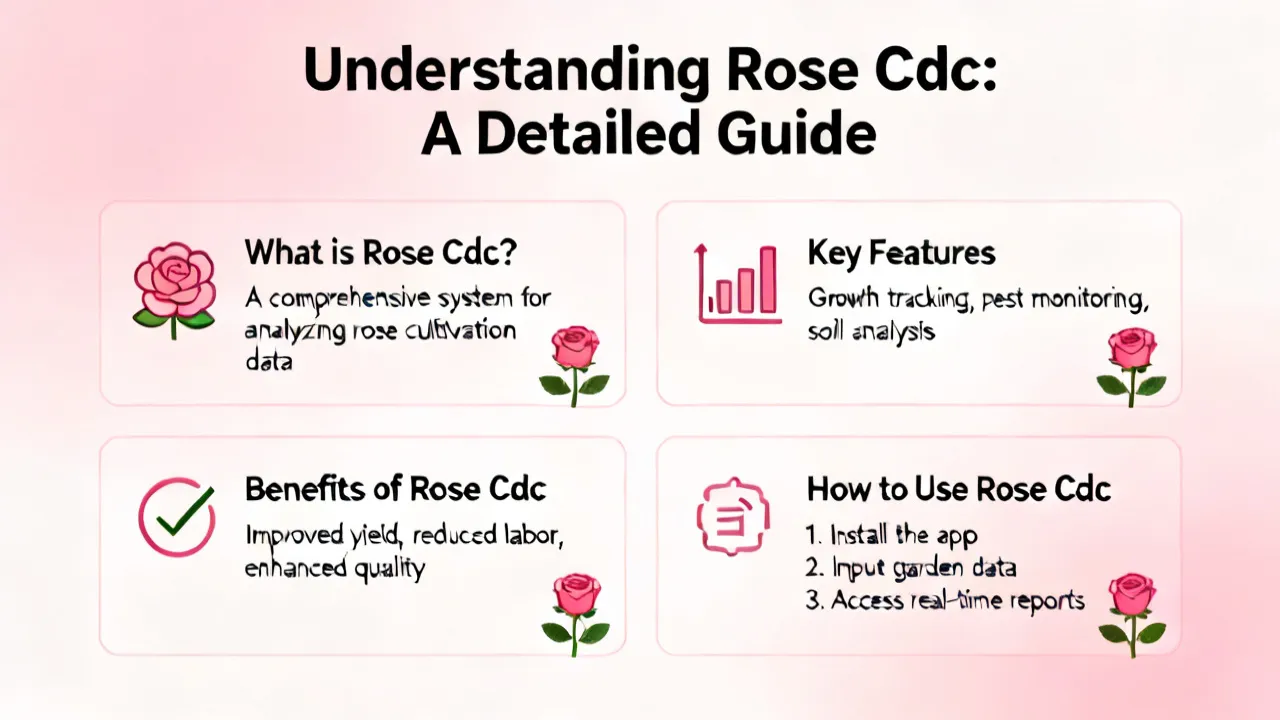
Understanding Rose Cdc: A Comprehensive Guide
This article provides an in-depth exploration of Rose Cdc, a term rapidly gaining attention in specific industries. Our discussion delves into the significance and application of Rose Cdc, its potential impact on various sectors, and expert insights into its future developments. This comprehensive analysis is designed to inform readers about the multifaceted aspects of Rose Cdc, its current applications, and potential advancements.

Understanding Compliance and AML Strategies
This article delves into the intricate realm of Compliance and Anti-Money Laundering (AML) strategies, highlighting their significance in the corporate world. Compliance AML refers to the organizational adherence to legal standards and regulations to deter financial crimes, ensuring transparent and ethical financial practices. This comprehensive guide examines these strategies' complexities and their pivotal role in safeguarding economic integrity.

Mastering Inbound B2B Strategies
The foundation of successful B2B strategies often lies in the effective implementation of inbound marketing techniques. In today's globally connected business environment, inbound B2B strategies have become critical for companies seeking to engage target audiences, optimize lead generation, and establish long-lasting partnerships. Understanding these strategies is essential for companies aiming to thrive in competitive markets.

Exploring B2B MBA Opportunities
Dive into the dynamic world of B2B MBA programs, designed for professionals seeking to enhance their strategic and management skills in a business-to-business context. This comprehensive guide discusses the significance of B2B MBAs in today's market, highlighting how these programs equip leaders with the expertise to navigate complex B2B relationships and drive business success.

Understanding Whitewater Regenerative Blowers
Whitewater Regenerative Blowers are essential in various industrial applications for their efficiency in moving air and gases. These blowers are known for their durability and ability to operate continuously, making them a preferred choice for industries ranging from wastewater treatment to aquaculture. This article explores their features, benefits, and applications, offering readers a comprehensive understanding of their importance in modern industry.

Mastering Employee Retention Strategies
Employee retention has become a critical aspect of organizational success, particularly in the dynamic landscape of 2020. As businesses strive to maintain a stable and productive workforce, understanding effective retention strategies is essential. This article delves into key methods for enhancing employee satisfaction and retention, offering a comprehensive guide for HR professionals and business leaders alike.
